Welcome to version 0.4.0 of Launcher Two!
With this release you are now able to add folders with your favorite apps to Launcher Two.

Launcher Two is still in open testing which means there may be bugs and incomplete features.
Major architectural changes mean a fresh start (no data migration).
It is now possible to add folders with apps to Launcher Two.
With folders you can arrange your favorite apps on the main screen in any way you want.
Moreover, you are able to customize the looks of apps inside a folder to get unique and creative looks!
In this release, you are able to customize below options for items inside a folder:
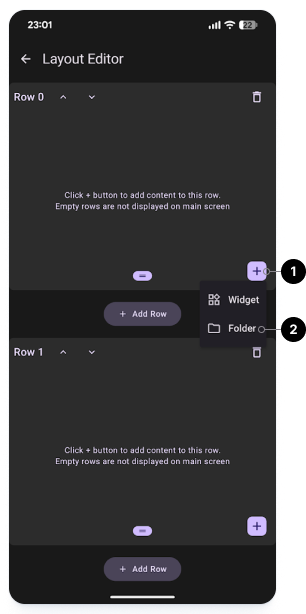
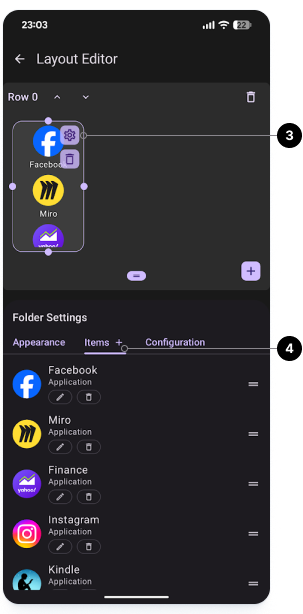
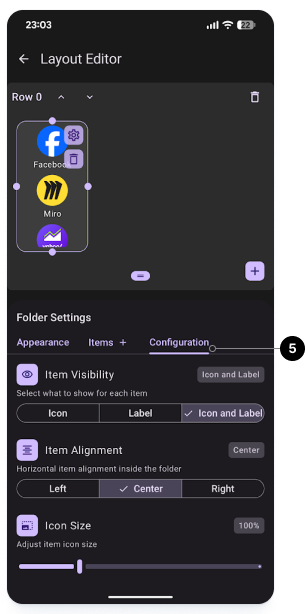
Follow below steps to add a folder to a row:
Launchy Widget on Google Play Store
Launchy Widget is a companion widget to Launcher Two that extends its functionality with customizable folders.
With Launchy Widget, you can create highly customizable folders for apps, shortcuts, browser bookmarks and direct dials.
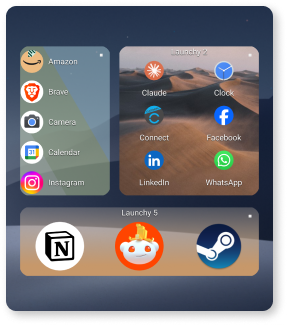
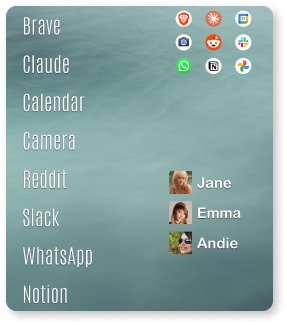
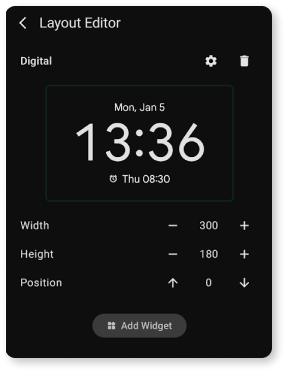
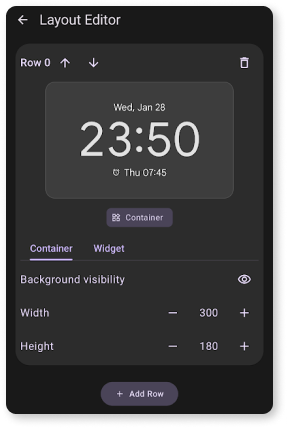
This release contains a major redesign of the layout editor, which is much more intuitive and easy to use.
Each row of the main screen becomes like a canvas where you can add widgets and arrange them as you like.
It is now possible to add multiple widgets to a row, move and resize widgets by dragging, and stacking widgets on top of each other.
Launcher Two is still in open testing which means there may be bugs and incomplete features.
Major architectural changes mean a fresh start (no data migration).
Support for app shortcuts for launching apps coming in the next releases.
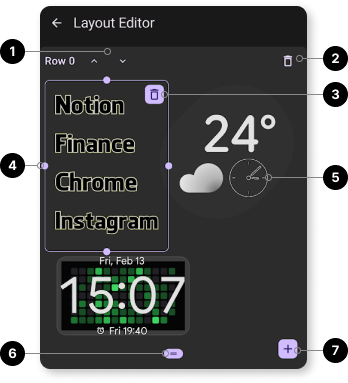
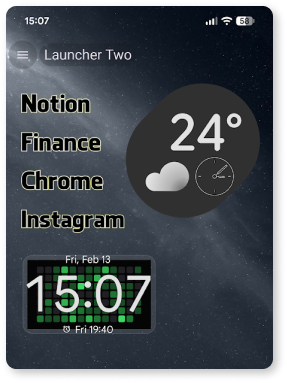
This is the second release of Launcher Two to the open testing track.
This release is focused on a complete redesign of the way items are added to the main Launcher Two screen and acts as a base for future functionality.
Initial release of Launcher Two to the open testing track.
This release includes the ability to add widgets to Launcher Two.
Additional functionality coming in the next releases.
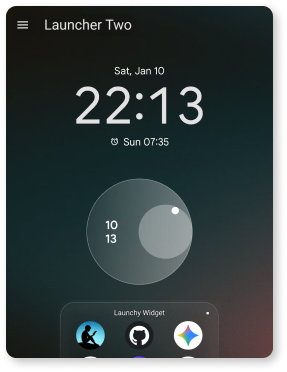
Below images show the layout editor and the resulting layout.